Experienced Roblox creators know that a fun concept is only the starting point. Once an experience starts attracting thousands of concurrent players, performance, network efficiency, and clean scripting become the real ranking factors. This guide focuses on the techniques used by successful developers who keep their games smooth even under heavy load.
Reducing Client and Server Lag at Scale
High-traffic experiences die from unnecessary replication and unoptimized loops. Limit what you replicate to clients. Use RemoteEvents and RemoteFunctions sparingly and only for essential data. Batch updates instead of firing remotes every frame. On the server, avoid running expensive calculations inside Heartbeat or RenderStepped connections when a lower-frequency loop or event-driven approach works.
Memory leaks are common in long-running servers. Always disconnect connections and destroy unused instances. Profile with the MicroProfiler and Developer Console regularly—look for spikes in Script Activity and Network Ownership changes.
Efficient Data Handling and Player State
Storing everything in a single large table quickly becomes a bottleneck. Split player data into smaller, purpose-specific structures and only load what is needed for the current context. When using DataStores, implement proper retry logic with exponential backoff and consider MemoryStoreService for temporary high-frequency data such as matchmaking or live leaderboards.
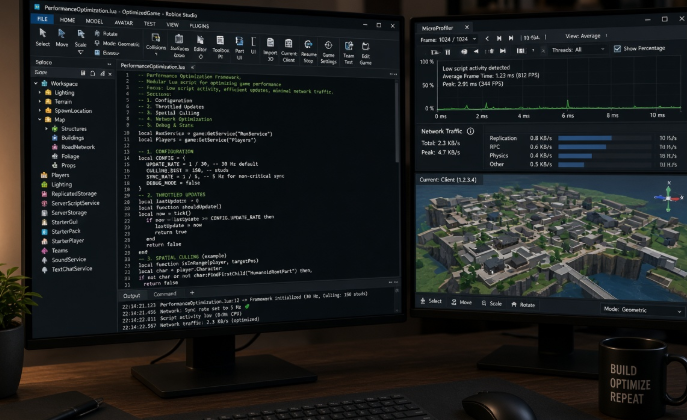
For experiences with frequent combat or physics interactions, set network ownership deliberately. Giving ownership to the client for certain parts can reduce server load, but only when security allows it.
Scripting Patterns That Scale
Modular, event-driven code outperforms giant monolithic scripts. Break systems into single-responsibility modules and communicate through a clean signal or event bus. Avoid deep inheritance hierarchies that become hard to debug under load.
Use CollectionService tags instead of constantly scanning the workspace. Tag objects once and let systems react only when tagged instances are added or removed. This pattern alone removes a surprising amount of per-frame work in busy experiences.
Client-Side Polish Without Sacrificing Performance
Visual feedback and responsiveness still matter. Prefer lightweight TweenService animations and carefully chosen particle effects over heavy beam or trail spam. Stream large maps with StreamingEnabled and set appropriate replication focus so distant areas do not waste bandwidth.
Test on low-end devices regularly. A game that runs at 60 FPS on a high-end PC but drops to 20 on mobile will lose a large portion of its audience.
Practical Checklist for Live Experiences
- Profile both client and server under simulated high concurrency
- Audit every remote for unnecessary traffic
- Confirm all connections are properly cleaned up on player leave
- Measure DataStore and MemoryStore usage against current limits
- Keep a separate “performance” place for stress testing new systems before pushing to production
Creators who treat performance as a core design pillar, not an afterthought, maintain higher retention and stronger engagement metrics. Clean, efficient systems also make future updates far less painful.
Apply these practices consistently and your experience will stay responsive even as player counts climb.
About the Author